
Moving a domain name between one Epik account to another
If your purchased domain name on Brandpa is currently hosted with Epik.com, and you also want to host your domain name with Epik.com, you will need to provide your email address associated with your Epik.com account. Only with this information it will be possible to move the domain name you purchased to your account.
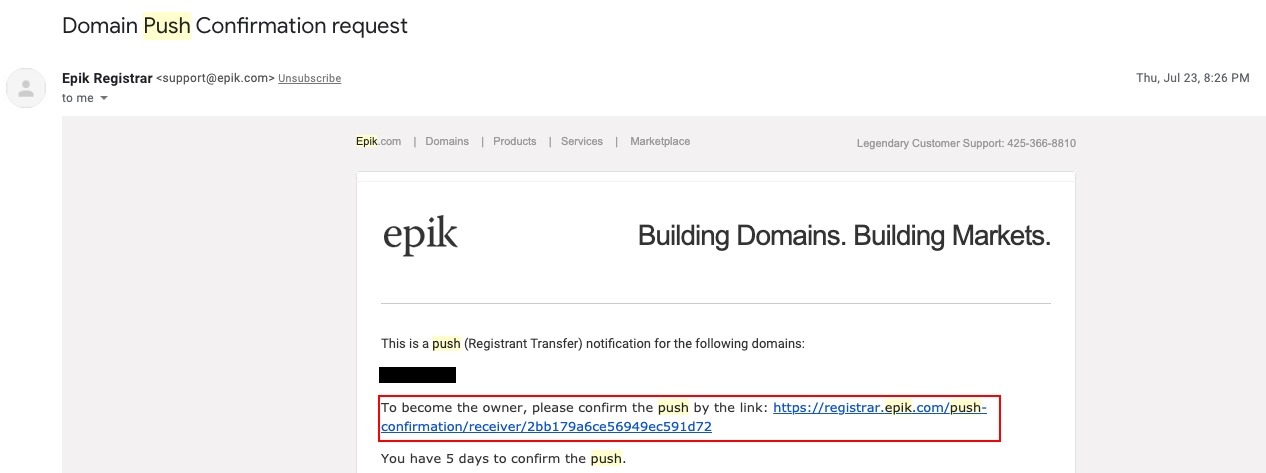
As soon as the domain name push is initiated on our end, you will receive an email from Epik that will ask you to accept that domain name push. Click on the link provided:
After you click on the provided link, you will be taken to this Epik page (assuming you are already logged in to your Epik account). Please make sure you click on the Approve Push button:
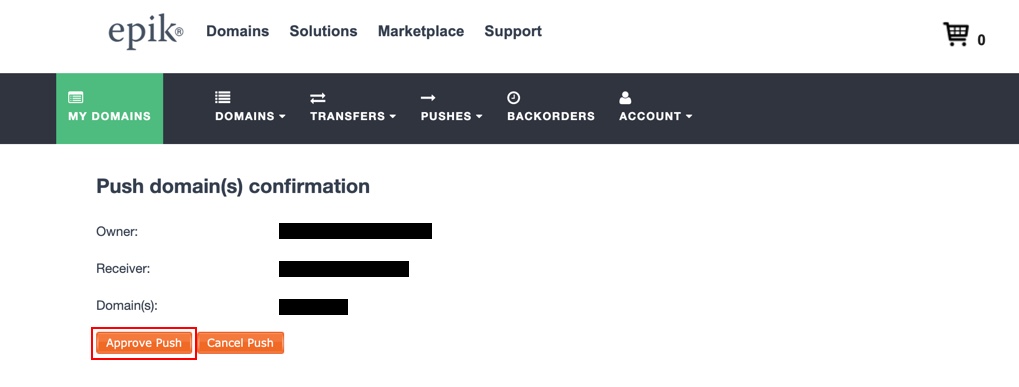
Once the above steps are completed, you will soon see that domain name in your Epik account.
Please make sure that once your domain name is in your Epik account, your payment details and your contact details associated with this name are up to date.